Transactions
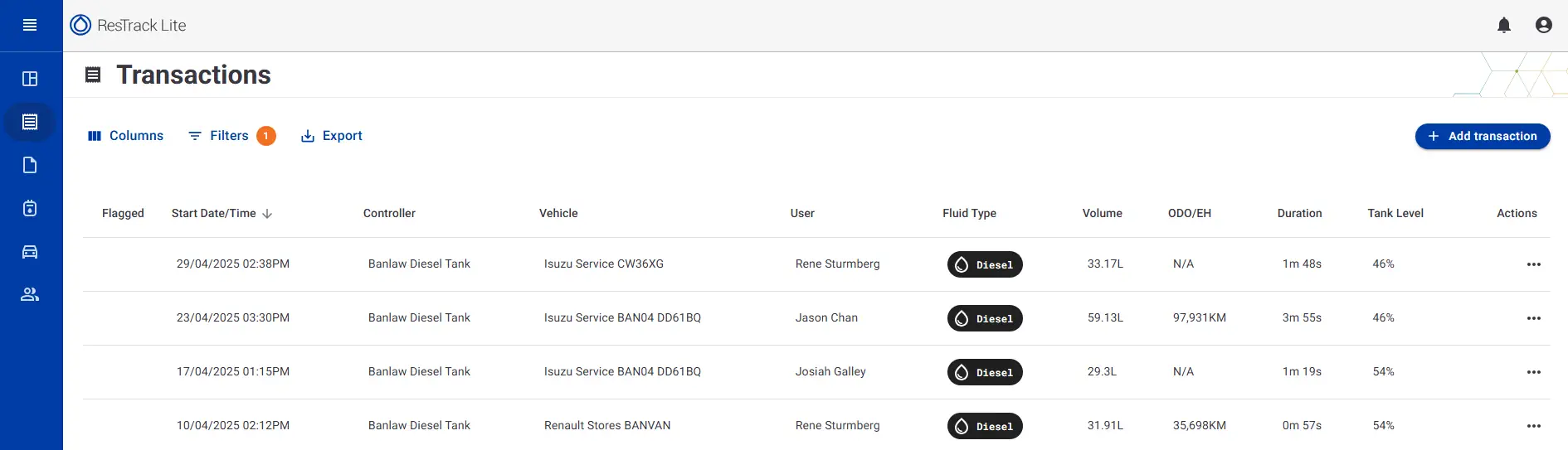
The Transactions page provides a complete history of all dispensing activity recorded across your ResTrack Lite controllers.
Use this page to review fuel usage, track operator activity, investigate specific transactions, and export data for reporting.
Purpose
The Transactions page allows you to:
- View all recorded fuel transactions
- Search for specific transactions
- Filter transactions by date, user, vehicle, controller, and fuel type
- Customise which information is displayed
- Export transaction data for reporting
- Manually add missing transactions
Transaction Information
Each transaction record contains information about the dispensing event, including:
- Date and time
- Controller
- Vehicle
- User
- Fuel type
- Volume dispensed
- Flow rate
- Odometer or engine hours
- Transaction duration
- Tank level
- Transaction status
The available columns can be customised to display only the information relevant to your workflow.
Columns
Select Columns to choose which information is displayed in the transaction table.
- Up to 10 columns can be displayed at one time
- Essential columns remain visible at all times
- Column selections affect the table view only
Below is a tutorial on how to setup the columns to your desired format.
Filters
Use Filters to narrow down the transaction list.
Available filters include:
- Date range
- Fuel type
- Controller
- User
- Vehicle
- Vehicle tags
- Transaction volume
- Transaction type
Multiple filters can be applied simultaneously.
To remove all filters, select Clear.
Use the tutorial below for a step by step guide on filters.
Exporting Transactions
To export transaction data:
- Apply any required filters.
- Select Export.
- Download the CSV file.
The exported file includes all transaction fields, regardless of the columns currently displayed on screen.
Use the guide below to export transactional data.